Welcome to The Mockup Factory
Introduction to The Mockup Factory plugin, who it's designed for, and what you'll need to get started
1.1 What is The Mockup Factory?
Prefer to watch? 🎥
Here's a quick overview of what The Mockup Factory does and how it works.
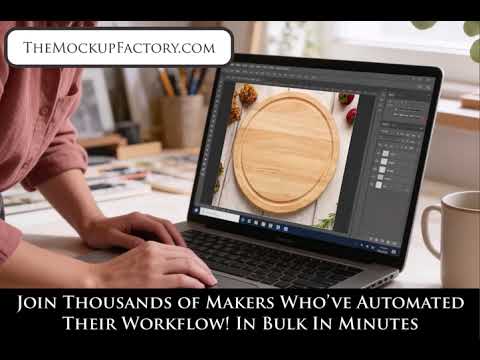
(Opens on YouTube in a new tab.)
The Mockup Factory is a professional Photoshop plugin designed specifically for makers, engravers, and personalised product businesses who need to create hundreds of realistic product mockups quickly and efficiently.
What makes The Mockup Factory different:
- Bulk processing: Generate hundreds of mockups in minutes, not hours
- Realistic effects: Professional engraving and print effects that match your production methods
- Smart automation: Places every design into your templates automatically, preserving the perspective of the scene
- Template-based workflow: Use our library of mockup templates or create your own
The problem we solve:
If you're a laser engraver, sublimation printer, UV printer, or personalised gift maker, you know how time-consuming it is to create product mockups for every design variation. Manually placing each design into Photoshop, adjusting the fit, applying effects, and saving can take hours or even weeks for large product catalogues.
The Mockup Factory automates this entire process. Select your templates, select your designs, choose your settings, and let the plugin do the work while you focus on running your business.
1.2 Who is This For?
The Mockup Factory is designed for:
Laser Engravers
Create realistic engraved mockups for wood, slate, glass, and leather with authentic depth and texture effects.
Sublimation Printers
Generate professional mockups showing your designs on ceramic, white glass, stainless steel and other hard white surfaces.
UV Printers
Showcase UV-printed designs on natural wood, acrylic, metal and other white or light substrates with realistic print effects.
Print-on-Demand Sellers
Quickly create product listings with professional mockups for your entire design catalogue.
Personalised Gift Businesses
Generate mockups for custom products like wooden boxes, slate signs, coasters, and more.
Product Photographers & Designers
Streamline your mockup creation workflow and serve more clients efficiently.
You'll benefit most from The Mockup Factory if you:
- Need to create mockups for 10+ design variations regularly
- Sell personalised or customisable products online
- Want professional-quality mockups without hiring a photographer
- Need to match mockups to your actual production methods
- Want to save hours of manual Photoshop work
1.3 What You'll Need
To use The Mockup Factory successfully, you'll need:
Software Requirements
- ✅ Adobe Photoshop CC 2019 or later (Creative Cloud subscription version)
- ✅ Windows 10/11 or macOS 10.14+
- ✅ An active Mockup Factory subscription (Standard, Print & Sublimation, or Professional)
- ✅ Internet connection for plugin authentication
Files You'll Prepare
- ✅ PSD template files with smart objects (use our library or create your own)
- ✅ PNG design files (your artwork, logos, or designs to place into mockups)
- ✅ Organised folder structure for templates, designs, and output files
Knowledge Requirements
- ✅ Basic Photoshop familiarity (opening files, navigating the interface)
- ✅ Understanding of smart objects (we have tutorials if you need help!)
- ✅ File management skills (organising folders, naming files)
Don't worry if you're not a Photoshop expert! The Mockup Factory is designed to be simple and intuitive. If you can open Photoshop and click a few buttons, you can use The Mockup Factory.
1.4 How to Use This Manual
This manual is organised to help you find exactly what you need, whether you're a complete beginner or an experienced user looking for specific information.
For New Users - Start Here:
Step 1: Read Section 2: Installation & First-Time Setup to get the plugin installed and authenticated.
Step 2: Review Section 3: Subscription Plans to understand what your plan unlocks.
Step 3: Follow Section 4: Getting Started - Your First Mockup for a complete walkthrough of creating your first batch of mockups.
Step 4: Explore Section 5: Resize Modes and Section 7: Processing Types to understand your options and choose the right settings.
For Experienced Users:
- Jump to Section 9: Troubleshooting if you encounter issues
- Reference Section 11: Quick Reference for at-a-glance setting guides
- Read Section 6: Multiple Smart Objects to build richer, multi-placement mockups
- Check Section 7: Processing Types to fine-tune your engraving and print effects
What Your Plan Unlocks
Every plan includes bulk processing, all four resize modes, your own templates, and JPG & PNG export. What changes is which effects you can apply:
- Standard - design placement (No Effects). You can skip the engraving and print effect sections of Section 7.
- Print & Sublimation - adds the print / UV / sublimation effects. You can skip the engraving sections of Section 7.
- Professional - adds all engraving effects (wood, slate, glass, leather). Read the entire manual to unlock the full power of premium engraving and print effects.
See Section 3: Subscription Plans for full details.
Getting Support While Learning
As you work through this manual, remember that help is always available:
- 📧 Technical Support: support@themockupfactory.com - For installation, login, processing errors, and technical questions
- 📧 Creative Support: creativehelp@themockupfactory.com - For processing type selection, mockup advice, and creative guidance
- 🎥 Video Tutorials: The Mockup Factory YouTube Channel - Watch step-by-step visual guides for every feature
- 📖 Step-by-step Guides: Tutorials - Written walkthroughs for every feature
- 🌐 Website: themockupfactory.com - Manage your subscription and download updates
Response time: We typically respond to support emails within 24 hours (often much faster!).
What's Next?
Now that you understand what The Mockup Factory does and who it's for, you're ready to get started!
Turn to Section 2: Installation & First-Time Setup to download and install the plugin, then we'll walk you through creating your first batch of professional mockups.
Let's transform your mockup workflow!
Happy mockup creating! The Mockup Factory Team